Introduction
As modern IT applications scale rapidly, managing and analyzing server and application logs has become increasingly challenging. IT teams are often overwhelmed by infrastructure sprawl and the volume, velocity and variety of logs. The need for real-time automated insights into IT logs has never been more critical.
Imagine an autonomous, resilient system where the infrastructure itself alerts IT teams to potential issues, allowing real-time insight into root cause and automatic resolution without the manual effort of sorting through countless logs. That's where Metrum AI's Gen AI IT Log Analyzer steps in.
In this blog, we explore how Metrum AI's Retrieval-Augmented Generation (RAG) solution, hosted on Dell PowerEdge XE9680 servers equipped with Nvidia H200 Data Center Tensor Core GPUs, transforms log analysis and infrastructure management.
Hardware Selection
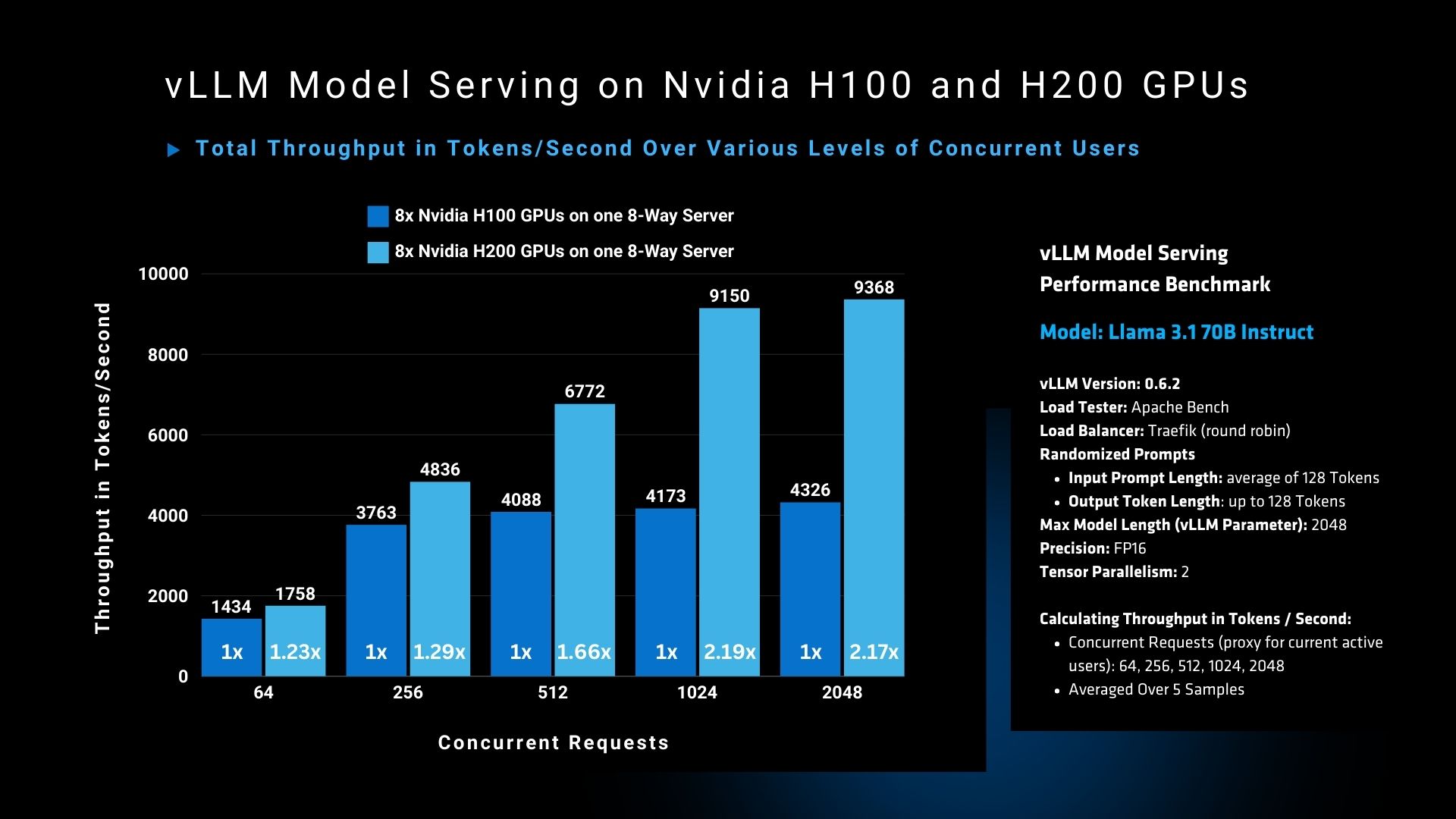
The graph demonstrates a clear performance advantage of the Nvidia H200 GPU over the H100 GPU in handling high concurrency workloads. At 2048 concurrent users, the H200 GPU achieves a throughput of 9368 tokens per second, compared to 4326 tokens per second for the H100, marking a >2x improvement.
We selected the Dell PowerEdge XE9680 equipped with NVIDIA H200 GPUs for our solution due to its exceptional performance and memory capacity. With 141GB of HBM3e memory per GPU, we can efficiently run and serve multiple instances of leading large language models.
Solution Architecture
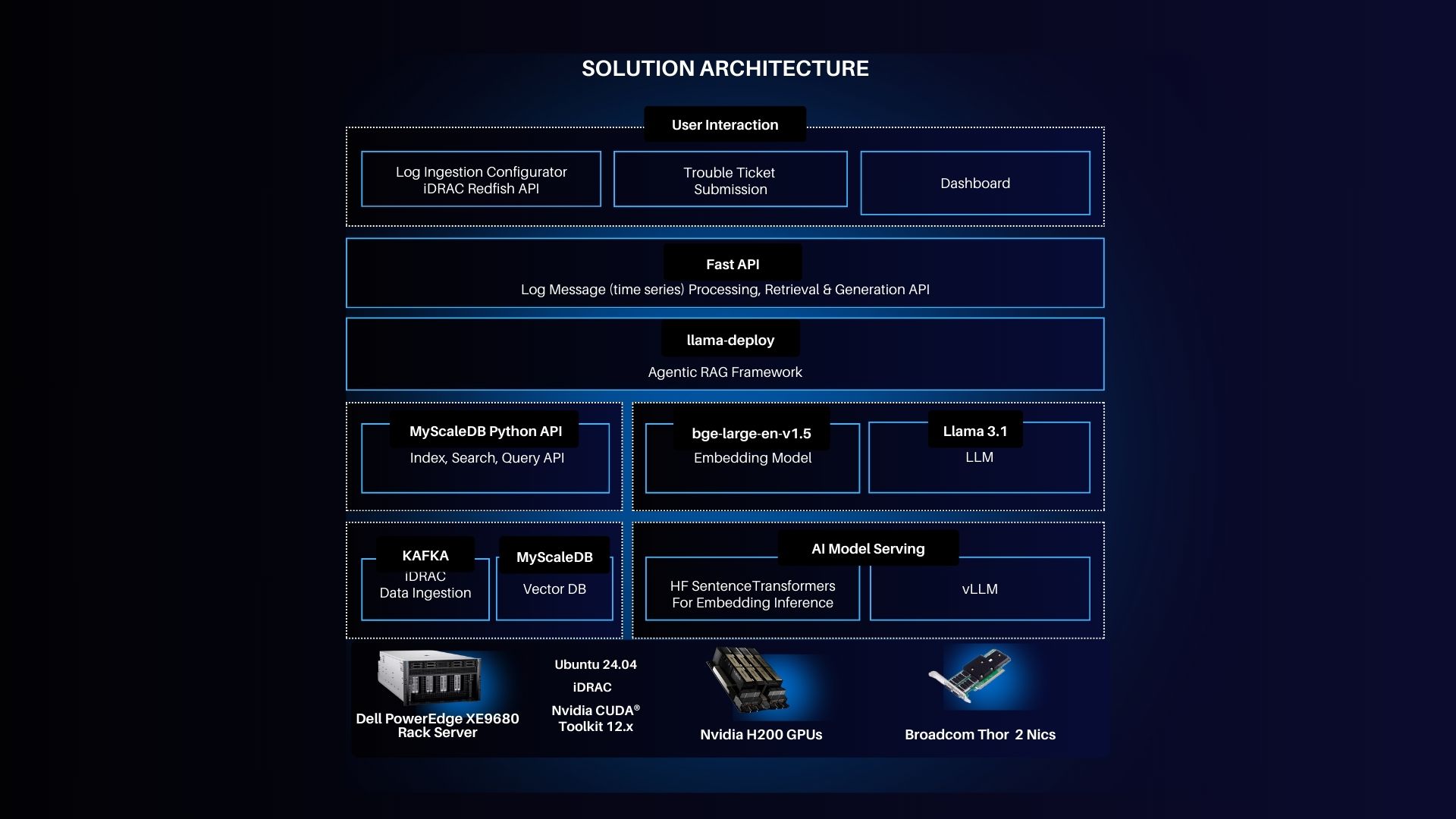
- Server: Dell PowerEdge XE9680, running Ubuntu 24.04 LTS, features NVIDIA H200 GPUs and Broadcom networking adapters.
- iDRAC Integration: Dell's Integrated Remote Access Controller (iDRAC) allows IT teams to monitor server health, handle updates, and track system status without physical access.
- Log Analyzer 2.0 Control Plane: This forms the heart of the solution, where logs are ingested, processed, and troubleshooted.
- Agentic RAG Framework: Powered by the Llama 3.1 language model, this AI-driven framework retrieves and processes logs in real-time.
- Data Ingestion and Vector DB: A scalable architecture backed by Kafka for data ingestion and MyScaleDB for vector storage.
Key Features
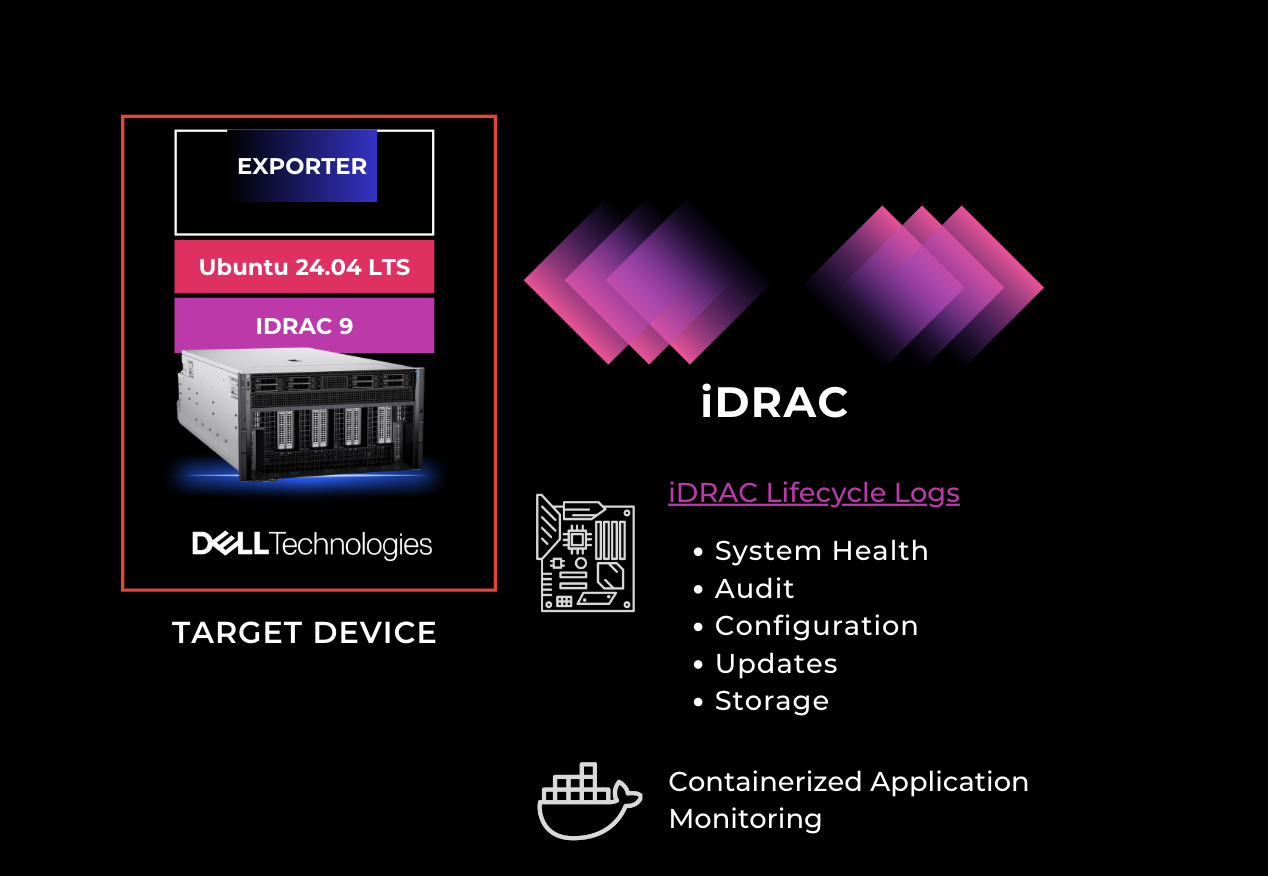
- iDRAC Lifecycle Logs: Integrated iDRAC support enables seamless monitoring of system health and hardware events.
- Log Ingestion Interface: The solution offers customizable ingestion, supporting server, network, and application logs.
- AI-powered Error Correlation: Through sophisticated AI models, the solution correlates errors across multiple log sources.
- Automated Ticket Generation: Following log analysis, the system generates incident tickets in a standard PDF format.
- Scalable AI Insights: The system can scale effortlessly to handle large enterprise environments.
Key Features of the Autonomous IT Log Analyzer Agent
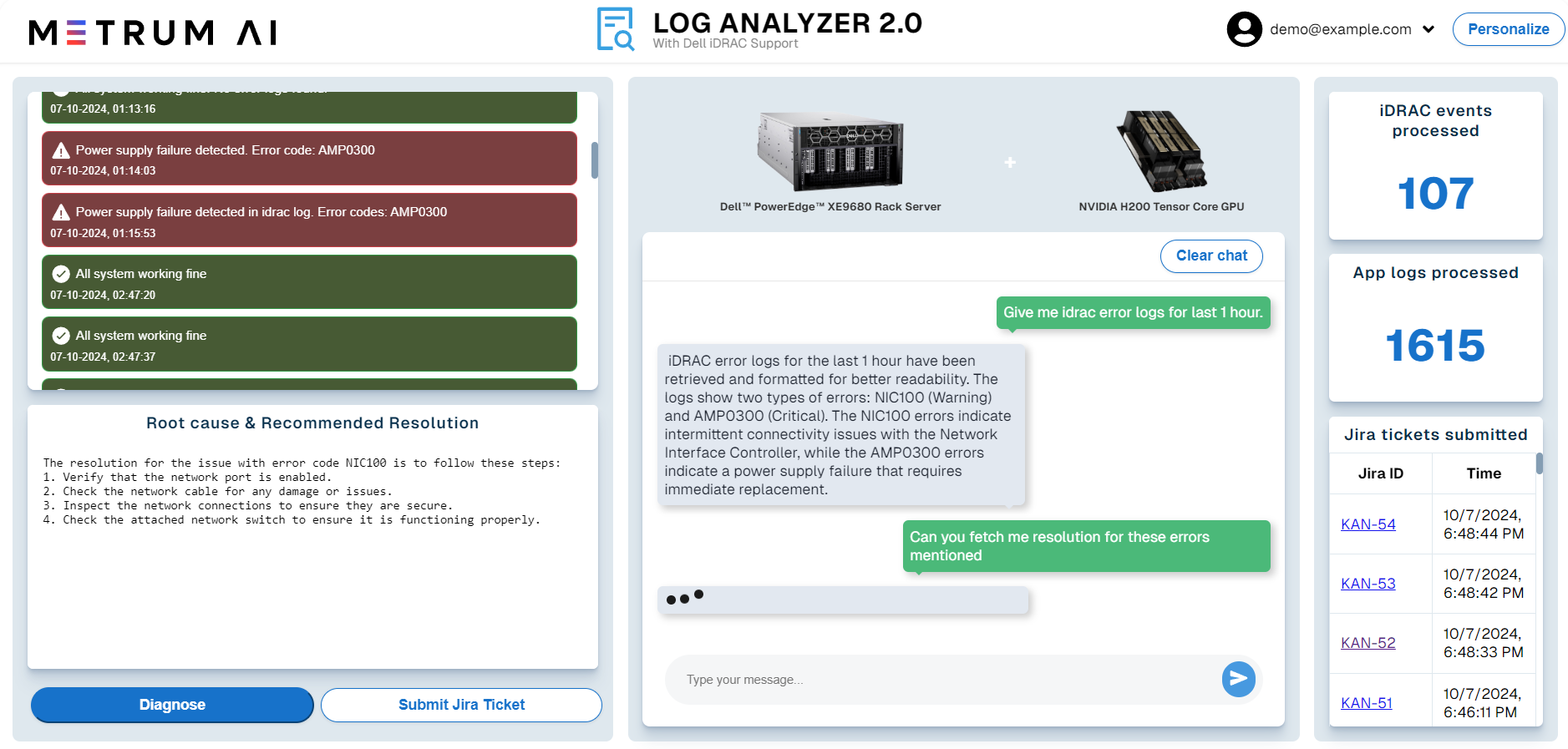
- Log Ingestion: Users can easily ingest logs from servers, applications, and networks.
- Time Frame Selection: IT teams can specify the time range for targeted log analysis.
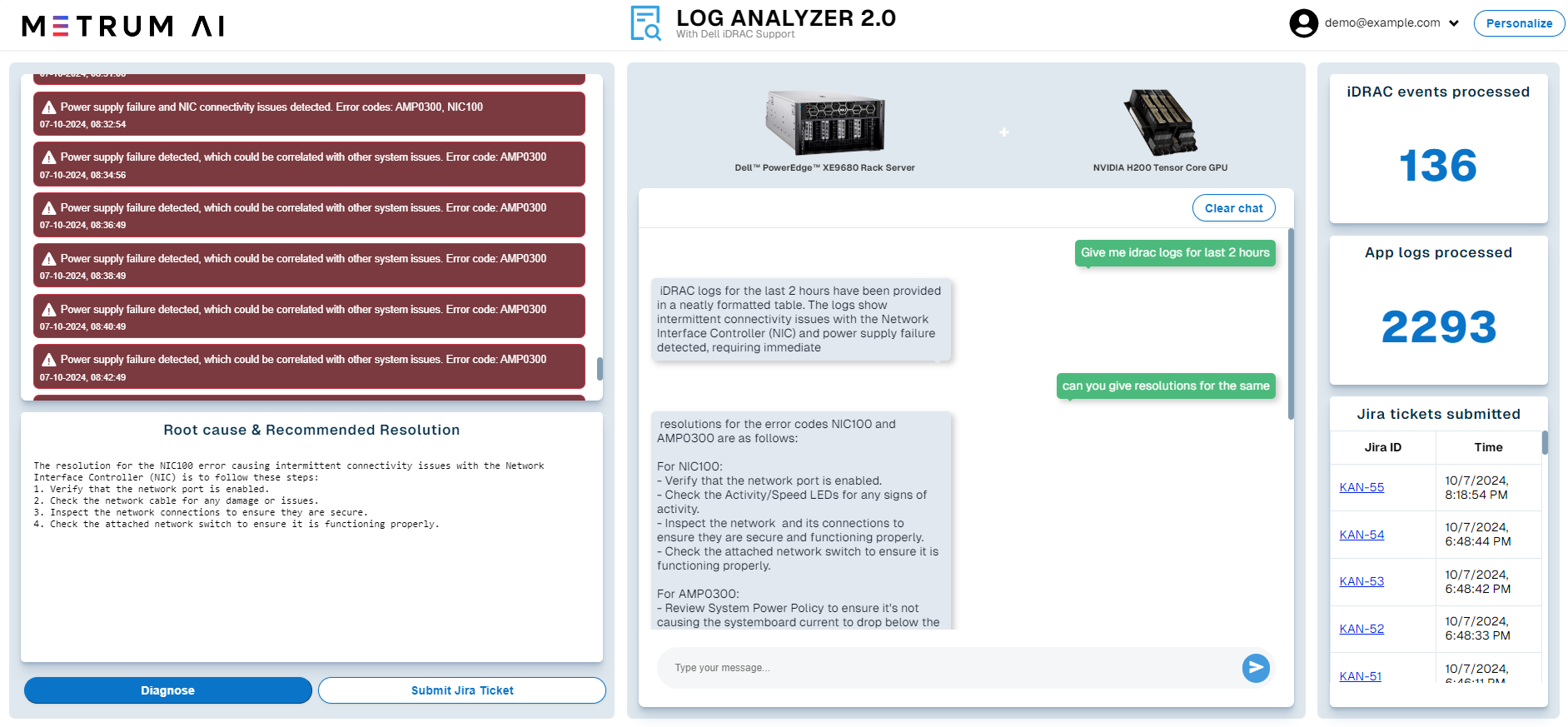
- AI-Powered Insights: The system analyzes logs and automatically identifies errors.
- Correlated Error Analysis: AI correlates errors across multiple log sources.
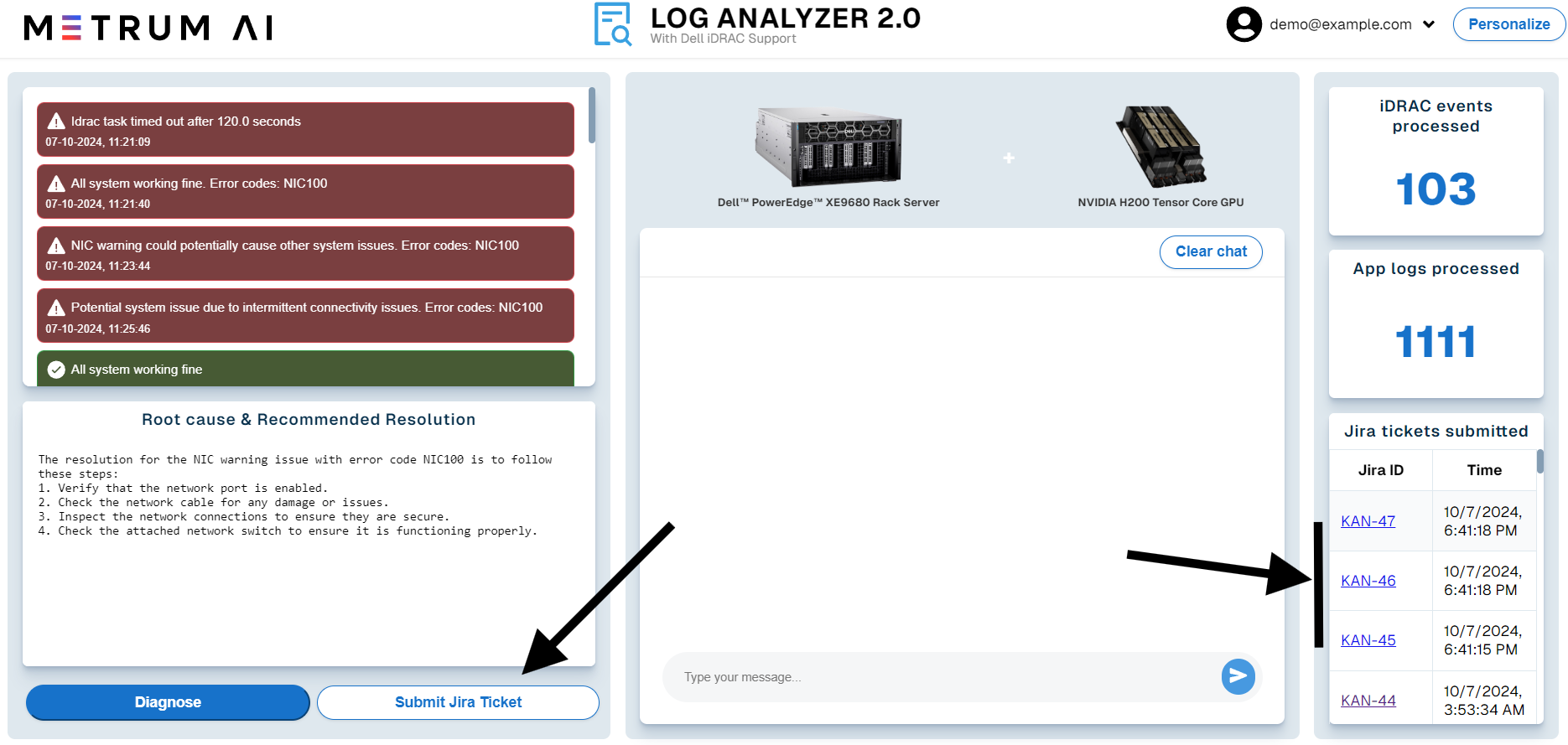
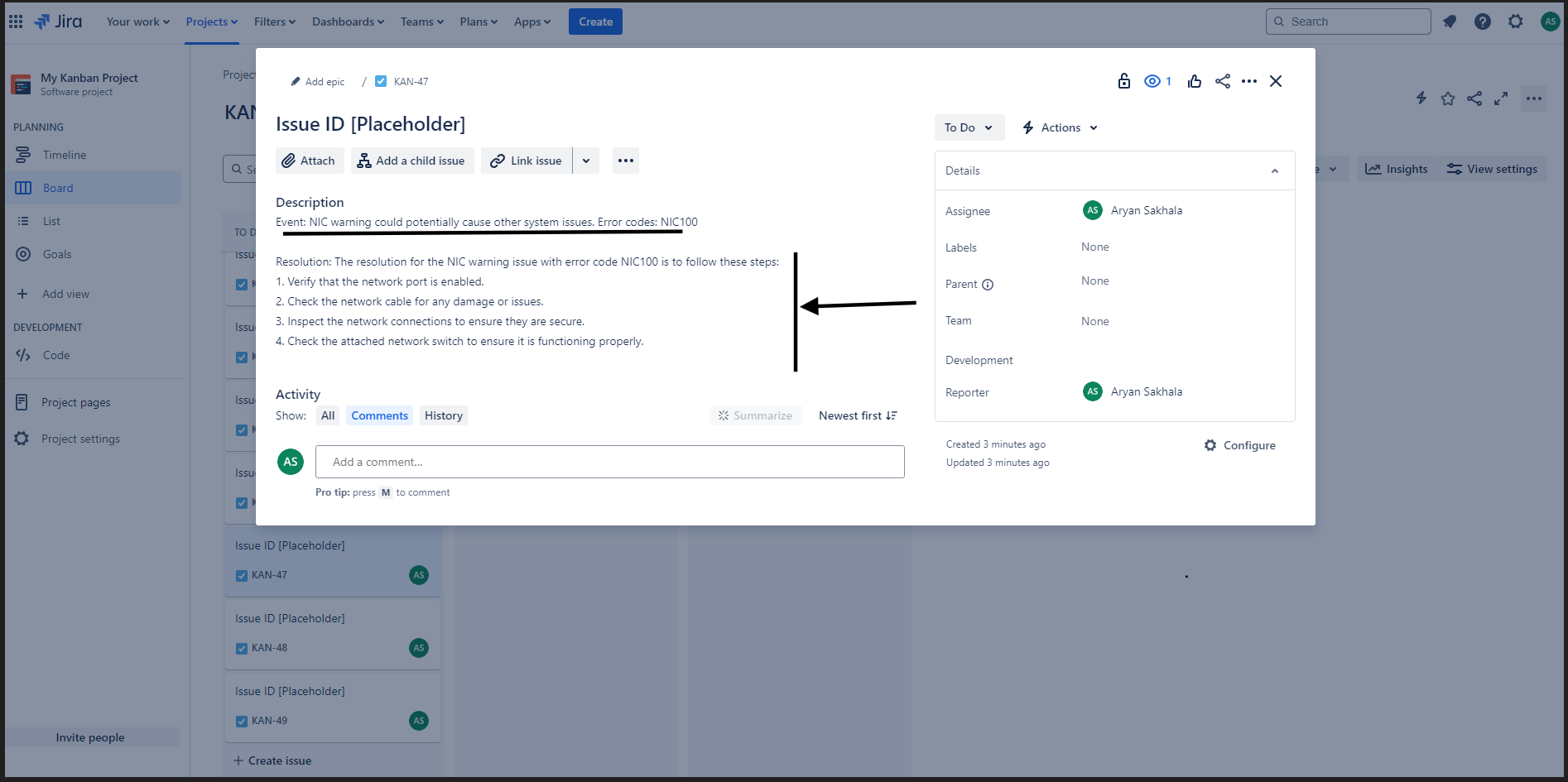
- Jira Ticket Submission: The system automatically generates a Jira ticket with detailed diagnostic information.
- Root Cause & Resolution: The system offers suggested solutions based on past incidents.
Solution Walkthrough
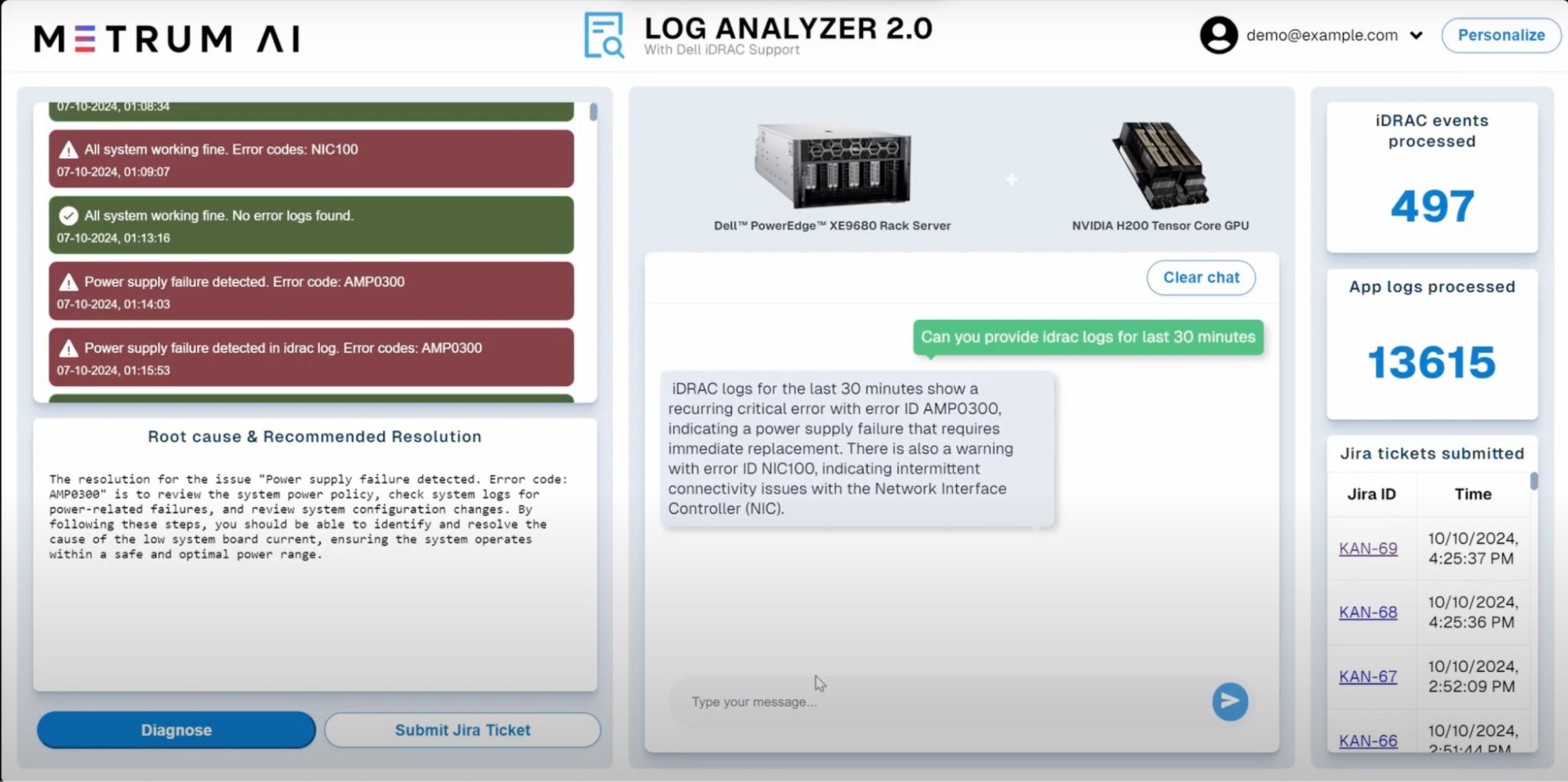
1. Can you provide IDRAC logs for last 30 minutes?
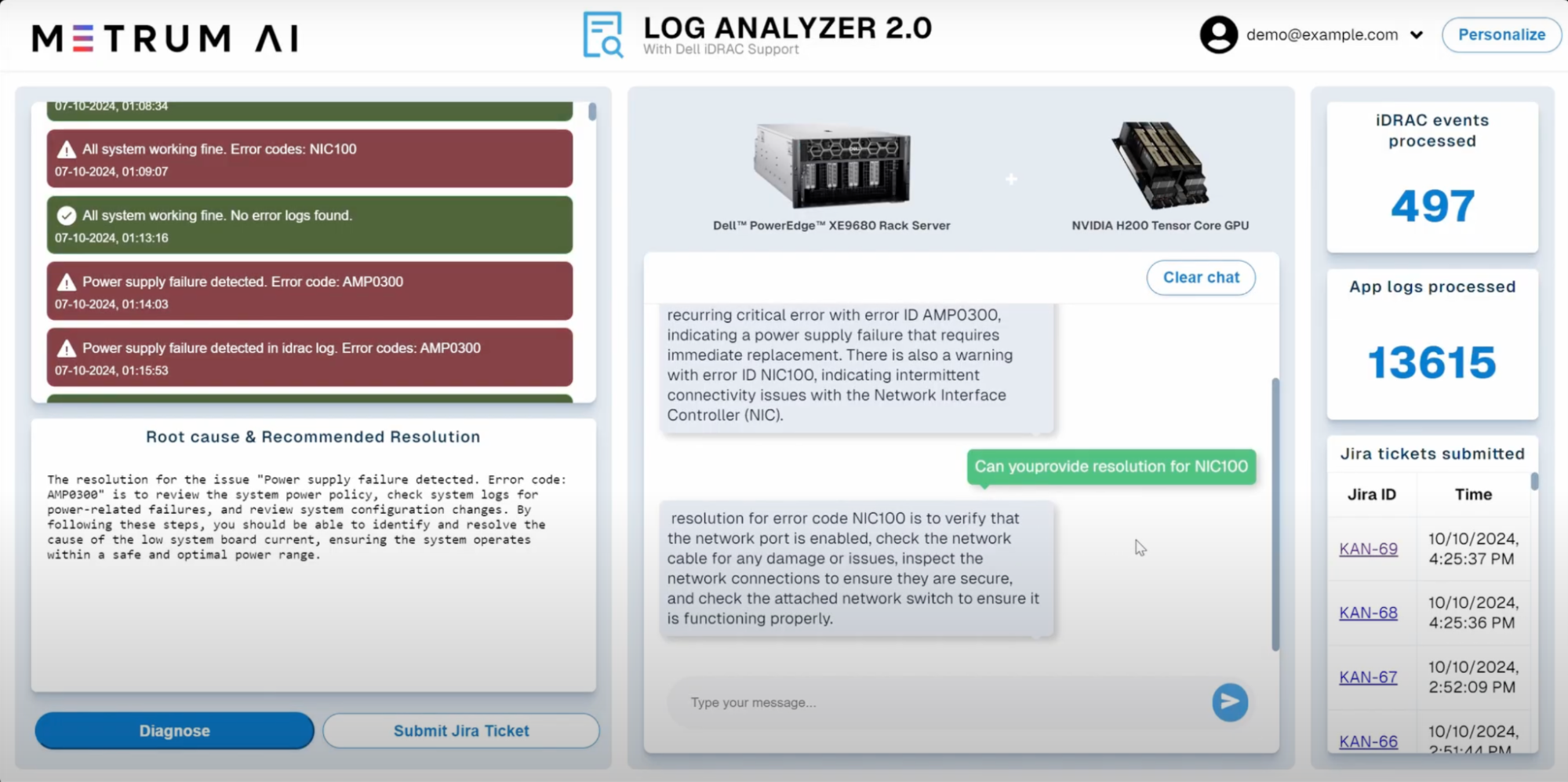
2. Can you provide the resolution for NIC100?

Conclusion
Metrum AI's Gen AI IT Log Analyzer, powered by Nvidia H200 Tensor Core GPUs and Dell PowerEdge XE9680, directly addresses IT management challenges with AI-driven automation. By streamlining log analysis, accelerating root cause identification, and automating ticketing processes, this solution significantly reduces downtime and enhances operational efficiency.
To learn more, please request access to our reference code by contacting us at contact@metrum.ai.
Copyright © 2024 Metrum AI, Inc. All Rights Reserved. This project was commissioned by Dell Technologies. Dell and other trademarks are trademarks of Dell Inc. or its subsidiaries. Nvidia and combinations thereof are trademarks of Nvidia. All other product names are the trademarks of their respective owners.
DISCLAIMER - Performance varies by hardware and software configurations, including testing conditions, system settings, application complexity, the quantity of data, batch sizes, software versions, libraries used, and other factors. The results of performance testing provided are intended for informational purposes only and should not be considered as a guarantee of actual performance.