 In this blog, Scalers AI will show you how to fine-tune large language models (LLMs), deploy 70B parameter models, and run a chatbot on the Dell PowerEdge XE9680 Server equipped with AMD Instinct MI300X Accelerators.
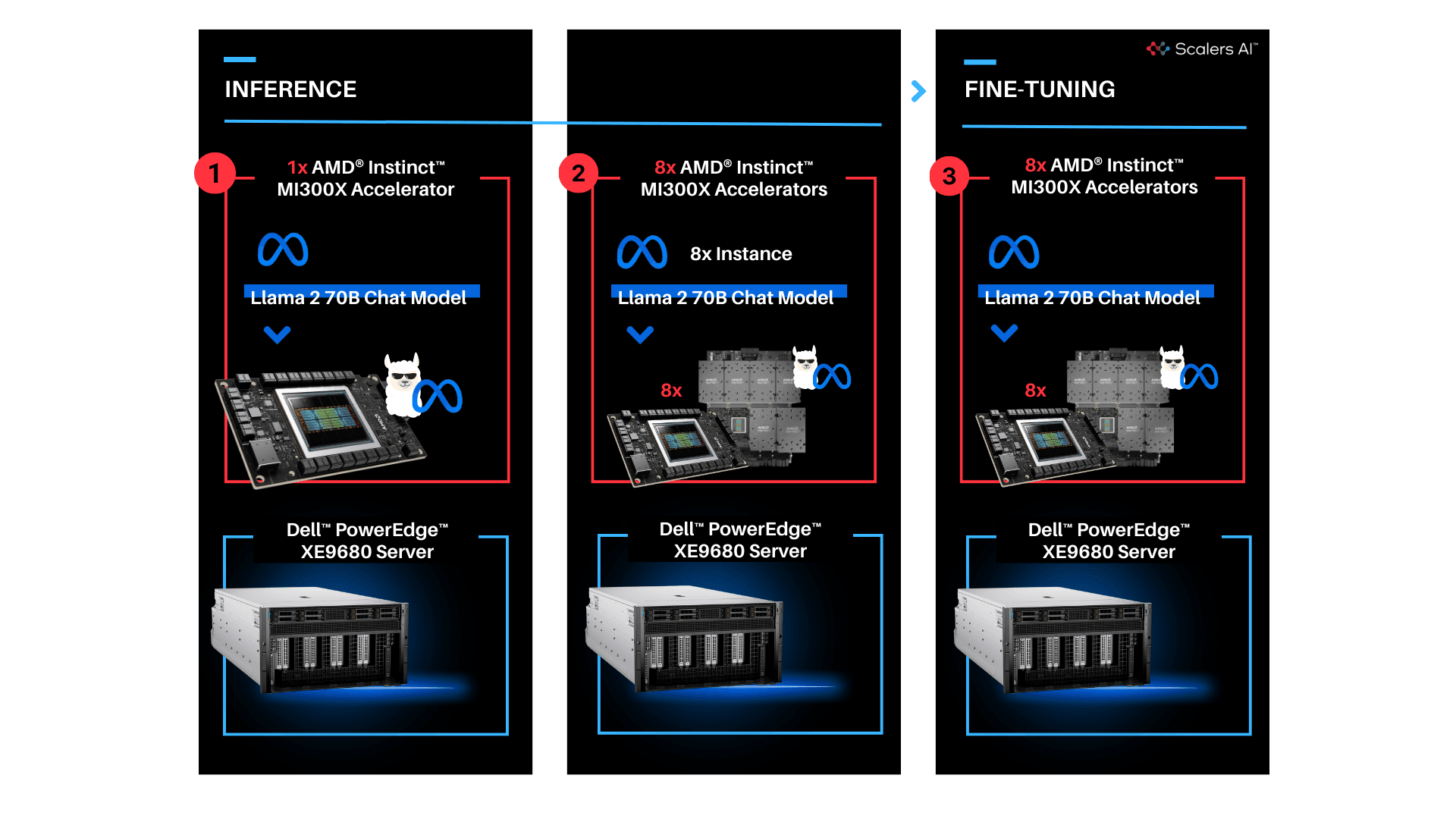
With the release of the AMD Instinct MI300X Accelerator, we are now entering an era of choice for leading AI Accelerators that power today's generative AI solutions. Dell has paired the accelerators with its flagship PowerEdge XE9680 server for high performance AI applications. To put this leadership combination to the test, Scalers AI received early access and developed a fine-tuning stack with industry leading open-source components and deployed the Llama 2 70B Chat Model with FP16 precision in an enterprise chatbot scenario. In doing so, Scalers AI uncovered three critical value drivers:
- Deployed the Llama 2 70B parameter model on a single AMD Instinct MI300X Accelerator on the Dell PowerEdge XE9680 Server.
- Deployed eight concurrent instances of the model by utilizing all eight available AMD Instinct MI300X Accelerators on the Dell PowerEdge XE9680 Server.
- Fine-tuned the Llama 2 70B parameter model with FP16 precision on one Dell PowerEdge XE9680 Server with eight AMD Instinct MI300X accelerators.
This showcases industry leading total cost of ownership value for enterprises looking to fine-tune state of the art large language models with their own proprietary data, and deploy them on a single Dell PowerEdge XE9680 server equipped with AMD Instinct MI300X Accelerators.

| "The PowerEdge XE9680 paired with AMD Instinct MI300X Accelerators delivers industry leading capability for fine-tuning and deploying eight concurrent instances of the Llama 2 70B FP16 model on a single server."
- Chetan Gadgil, CTO, Scalers AI
| To recreate, start with Dell PowerEdge XE9680 Server configurations as such.
OS: Ubuntu 22.04.4 LTS
Kernel version: 5.15.0-94-generic
Docker Version: Docker version 25.0.3, build 4debf41
ROCm version: 6.0.2
Server: Dell PowerEdge XE9680
GPU: 8x AMD Instinct MI300X Accelerators
| Setup Steps
-
Install the AMD ROCm driver, libraries, and tools. Follow the detailed installation instructions for your Linux based platform.
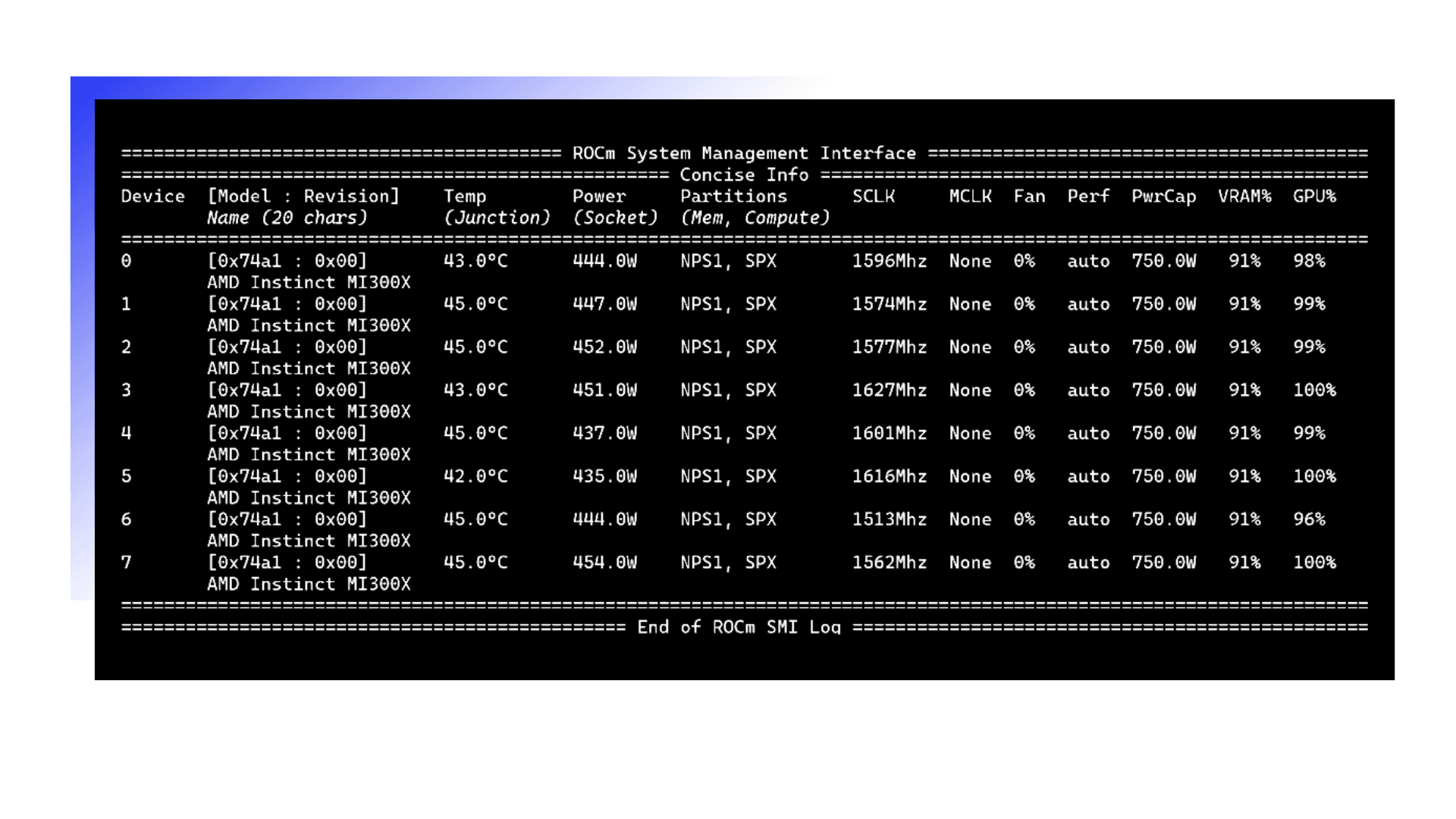
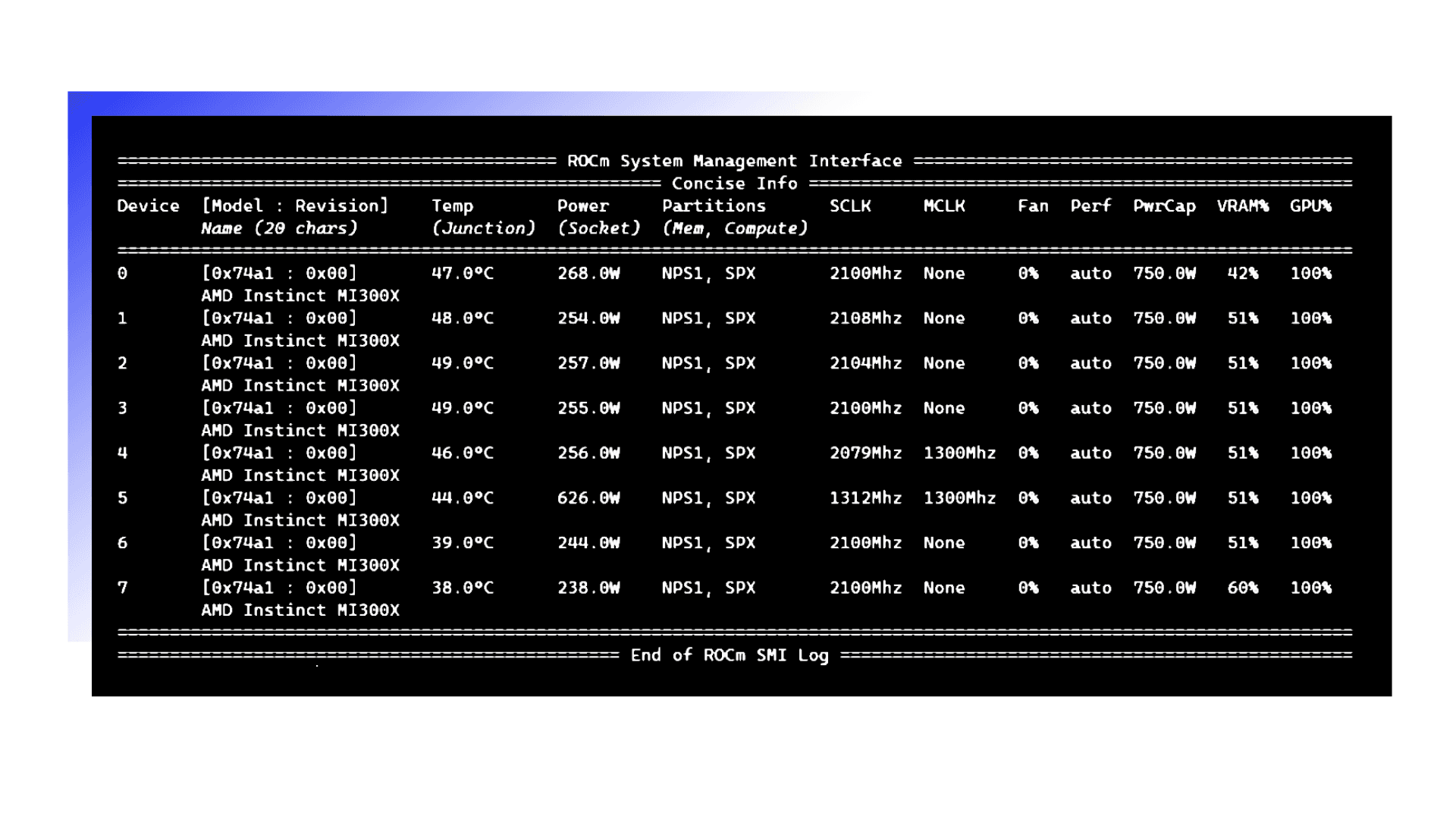
To ensure these installations are successful, check the GPU info using rocm-smi.
-
Clone the vLLM GitHub repository for 0.3.2 version as below:
git clone -b v0.3.2 https://github.com/vllm-project/vllm.git- Build the Docker container from the Dockerfile.rocm file inside the cloned vLLM repository.
cd vllm
sudo docker build -f Dockerfile.rocm -t vllm-rocm:latest .- Use the command below to start the vLLM ROCm docker container and open the container shell.
sudo docker run -it \
--name vllm \
--network=host \
--device=/dev/kfd \
--device=/dev/dri \
--shm-size 16G \
--group-add=video \
--workdir=/ \
vllm-rocm:latest bash- Request access to Llama 2 70B Chat Model from Llama 2 models from Meta and HuggingFace. Once the request is approved, log in to the Hugging Face CLI and enter your HuggingFace access token when prompted:
huggingface-cli loginPart 1.0: Let's start by showcasing how you can run the Llama 2 70B Chat Model on one AMD Instinct MI300X Accelerator on the PowerEdge XE9680 server. Previously we would use two cutting edge GPUs to complete this task.
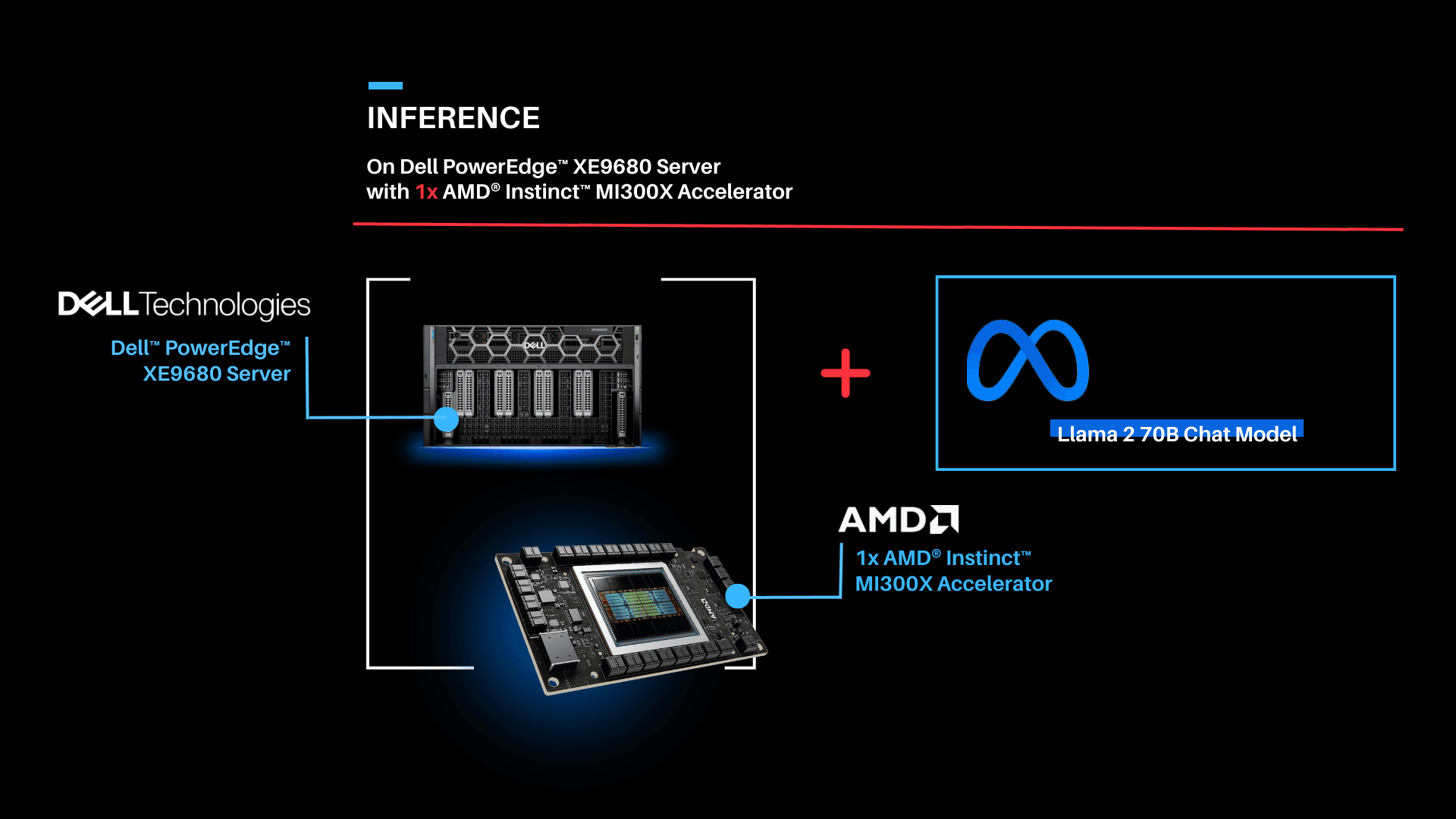
| Deploying Llama 2 70B Chat Model with vLLM 0.3.2 on a single AMD Instinct MI300X Accelerator with Dell PowerEdge XE9680 Server.
| Run vLLM Serving with Llama 2 70B Chat Model.
- Start the vLLM server for Llama 2 70B Chat model with FP16 precision loaded on a single AMD Instinct MI300X Accelerator.
python3 -m vllm.entrypoints.openai.api_server --model meta-llama/Llama-2-70b-chat-hf --dtype float16 --tensor-parallel-size 1- Execute the following curl request to verify if vLLM is successfully serving the model at the chat completion endpoint.
curl http://localhost:8000/v1/chat/completions \
    -H "Content-Type: application/json" \
    -d '{
        "model": "meta-llama/Llama-2-70b-chat-hf",
        "max_tokens":256,
        "temperature":1.0,
        "messages": [
            {"role": "system", "content": "You are a helpful assistant."},
            {"role": "user", "content": "Describe AMD ROCm in 180 words."}
        ]
    }'
Part 1.1: Now that we have deployed the Llama 2 70B Chat Model on one AMD Instinct MI300X Accelerator on the Dell PowerEdge XE9680 server, let's create a chatbot.
| Running Gradio Chatbot with Llama 2 70B Chat Model
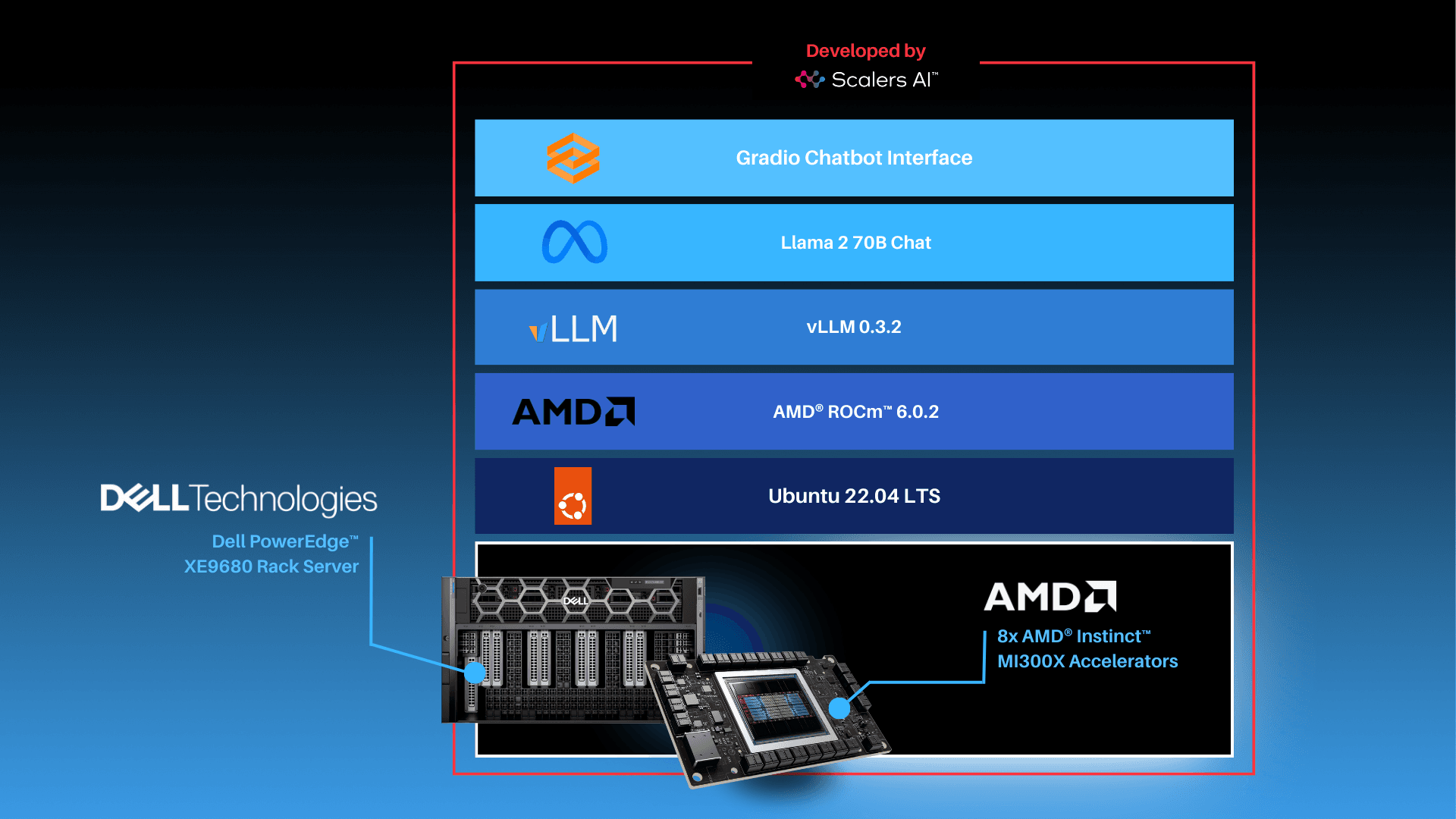
This Gradio chatbot works by sending the user input query received through the user interface to the Llama 2 70B Chat Model being served using vLLM. The vLLM server is compatible with the OpenAI Chat API hence the request is sent in the OpenAI Chat API compatible format. The model generates the response based on the request which is sent back to the client. This response is displayed on the Gradio chatbot user interface.
| Deploying Gradio Chatbot
-
If not already done, follow the instructions in the Setup Steps section to install the AMD ROCm driver, libraries, and tools, clone the vLLM repository, build and start the vLLM ROCm Docker container, and request access to the Llama 2 Models from Meta.
-
Install the prerequisites for running the chatbot.
pip3 install -U pip
pip3 install openai==1.13.3 gradio==4.20.1- Log in to the Hugging Face CLI and enter your HuggingFace access token when prompted:
huggingface-cli login- Start the vLLM server for Llama 2 70B Chat model with data type FP16 on one AMD Instinct MI300X Accelerator.
python3 -m vllm.entrypoints.openai.api_server --model meta-llama/Llama-2-70b-chat-hf --dtype float16- Run the gradio_openai_chatbot_webserver.py from the /app/vllm/examples directory within the container with the default configurations.
cd /app/vllm/examples
python3 gradio_openai_chatbot_webserver.py --model meta-llama/Llama-2-70b-chat-hf
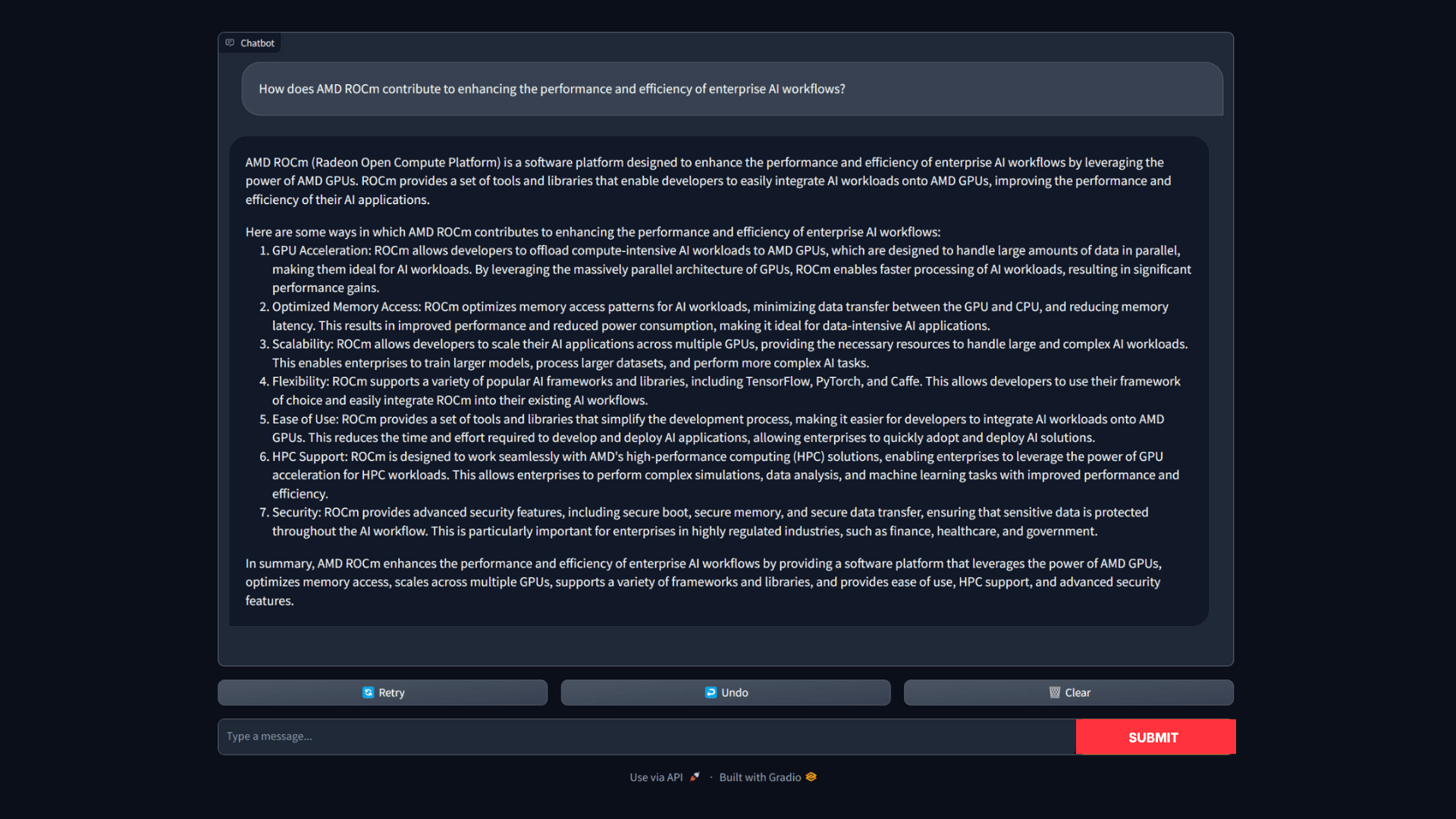
The Gradio chatbot will be running on the port 8001 and can be accessed using the URL http://localhost:8001. The query passed to the chatbot is "How does AMD ROCm contribute to enhancing the performance and efficiency of enterprise AI workflows?" The output conversation with the chatbot is shown below:
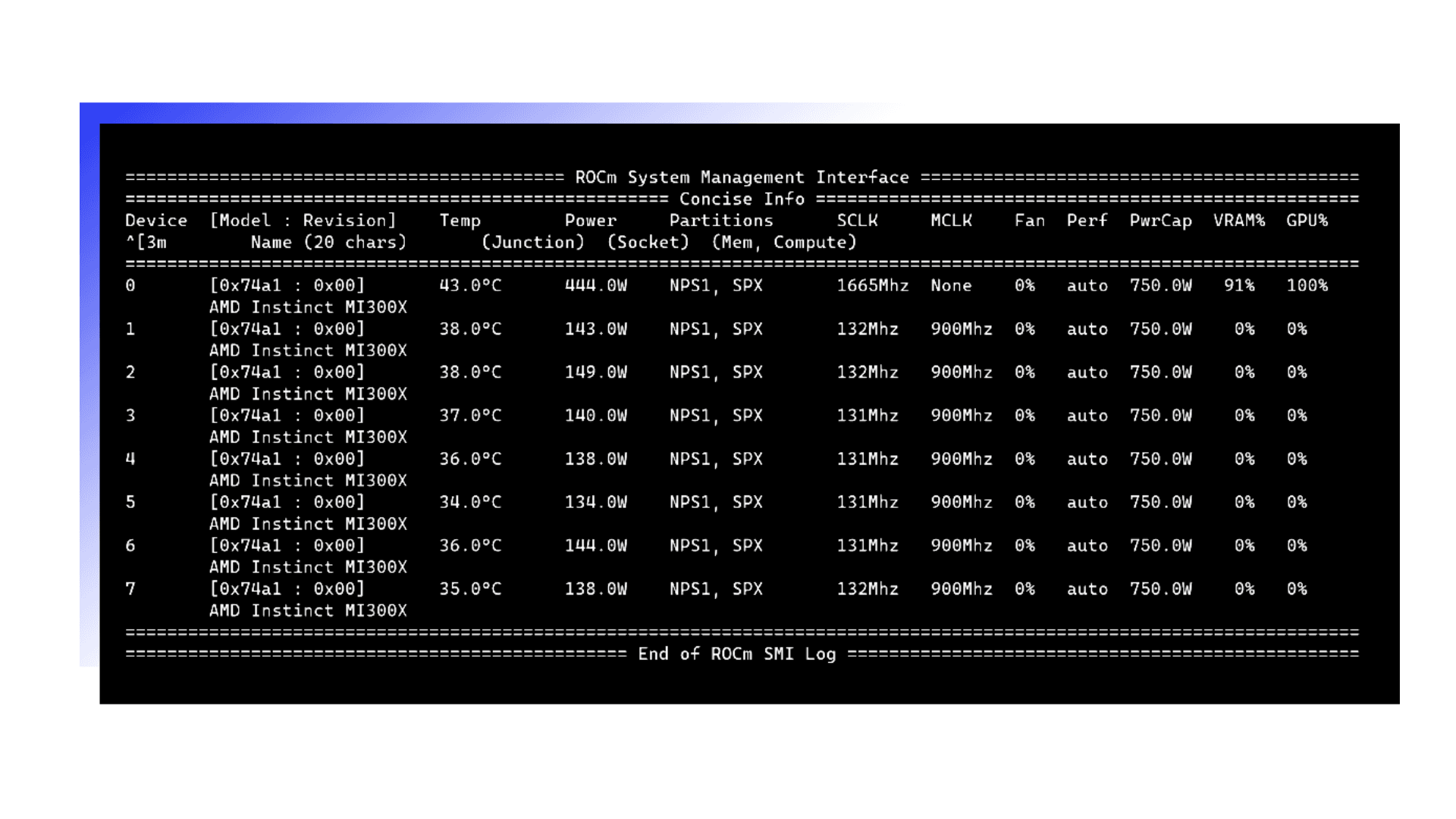
- To observe the GPU utilization, use the rocm-smi command as shown below.
- Use the command below to access various vLLM serving metrics through the /metrics endpoint.
curl http://127.0.0.1:8000/metricsPart 2: Now that we have deployed the Llama 2 70B Chat Model on a single GPU, let's take full advantage of the Dell PowerEdge XE9680 server and deploy eight concurrent instances of the Llama 2 70B Chat Model with FP16 precision. To handle more simultaneous users and generate higher throughput, the 8x AMD Instinct MI300X Accelerators can be leveraged to deploy 8 vLLM serving deployments in parallel.
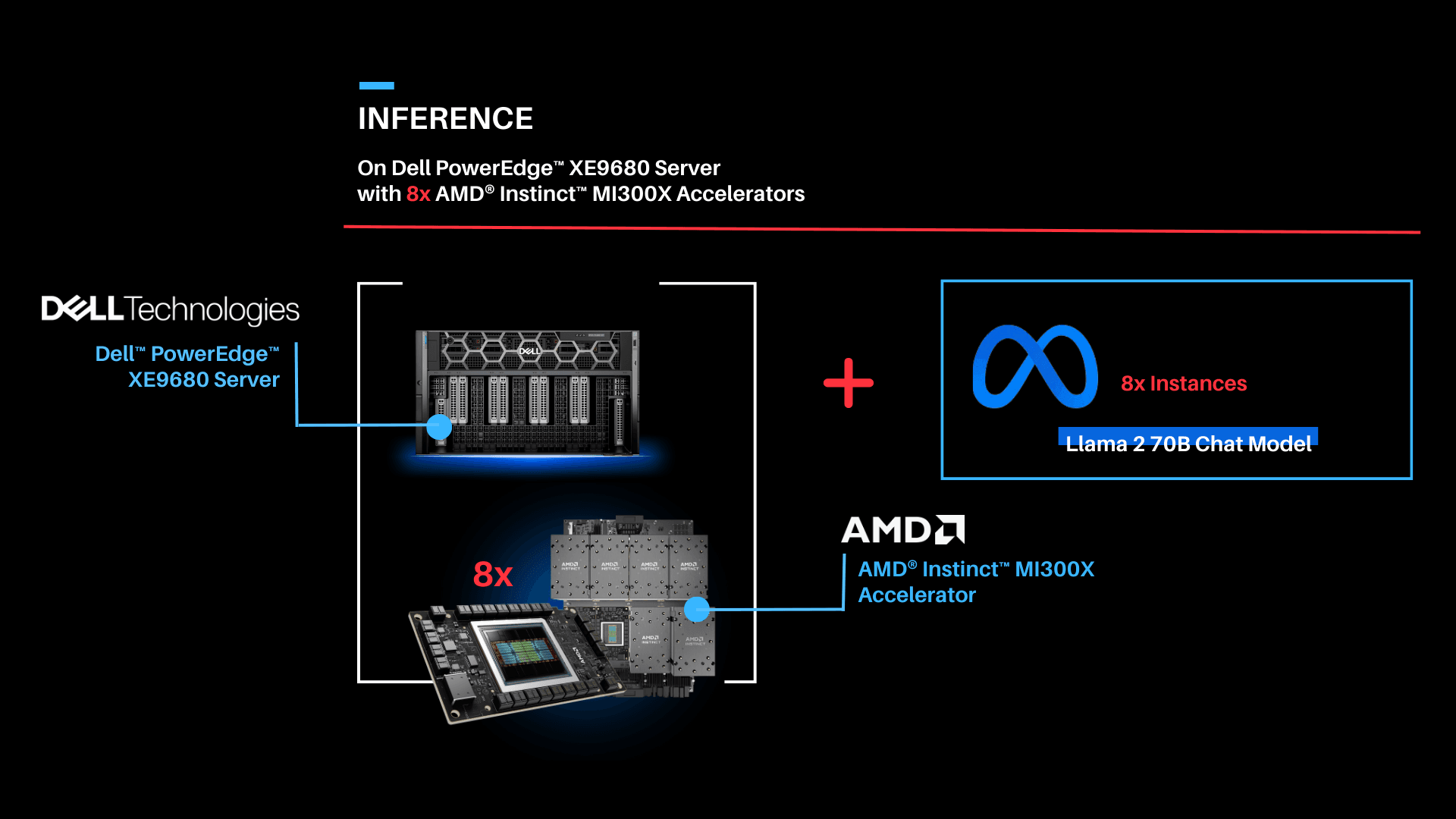
| Serving Llama 2 70B Chat model with FP16 precision using vLLM 0.3.2 on 8x AMD Instinct MI300X Accelerators with the PowerEdge XE9680 Server.
To enable the multi GPU vLLM deployment, we use a Kubernetes based stack. The stack consists of a Kubernetes Deployment with 8 vLLM serving replicas and a Kubernetes Service to expose all vLLM serving replicas through a single endpoint. The Kubernetes Service utilizes a round robin based strategy to distribute the requests across the vLLM serving replicas.
| Prerequisites
- Any Kubernetes distribution on the server.
- AMD GPU device plugins for Kubernetes setup on the installed Kubernetes distribution.
- A Kubernetes secret that grants access to the container registry, facilitating Kubernetes deployment.
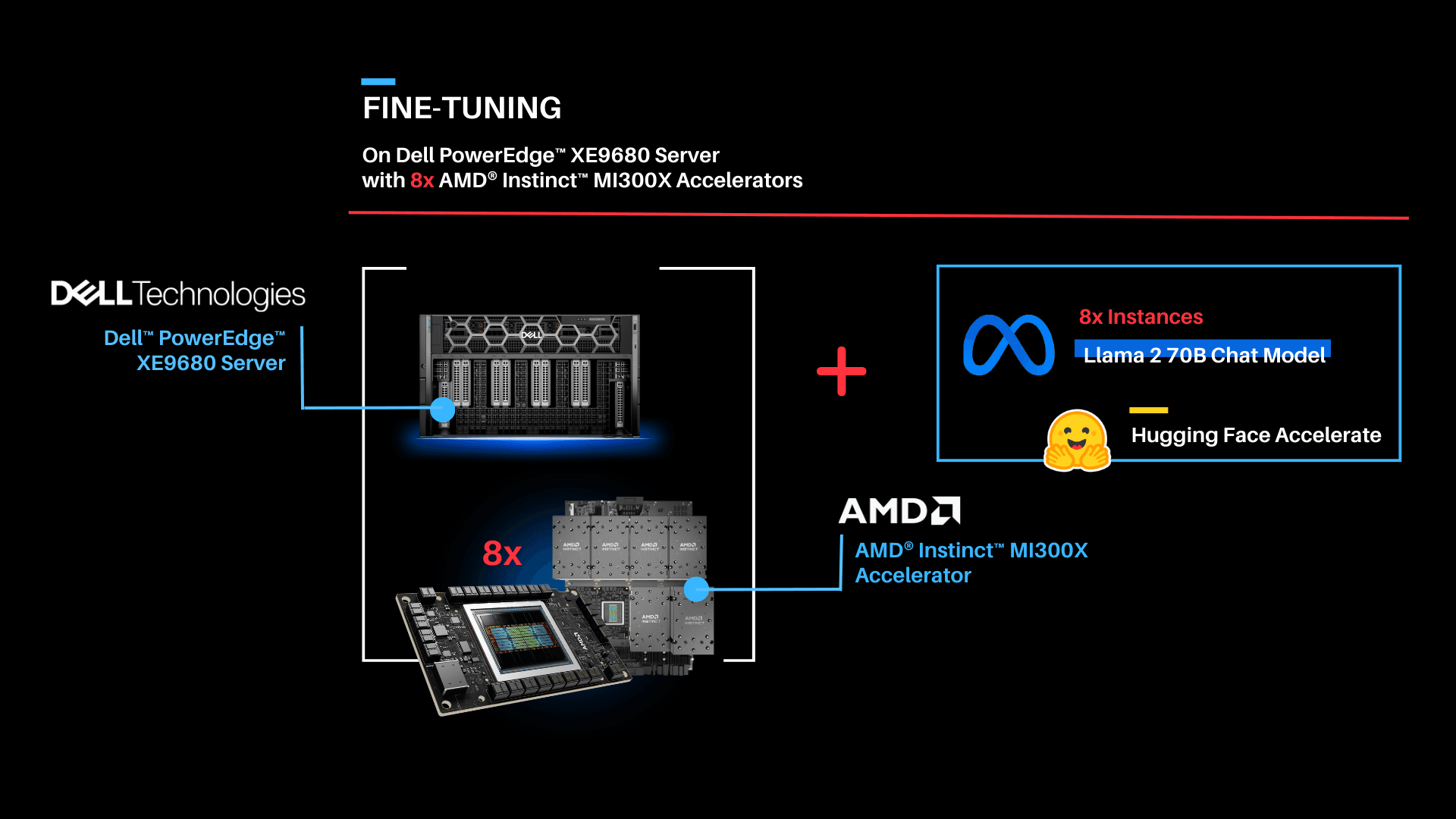
Part 3: Now that we have deployed the Llama 2 70B Chat model on both one GPU and eight concurrent GPUs, let's try fine-tuning Llama 2 70B Chat with Hugging Face Accelerate.
| Fine-tuning
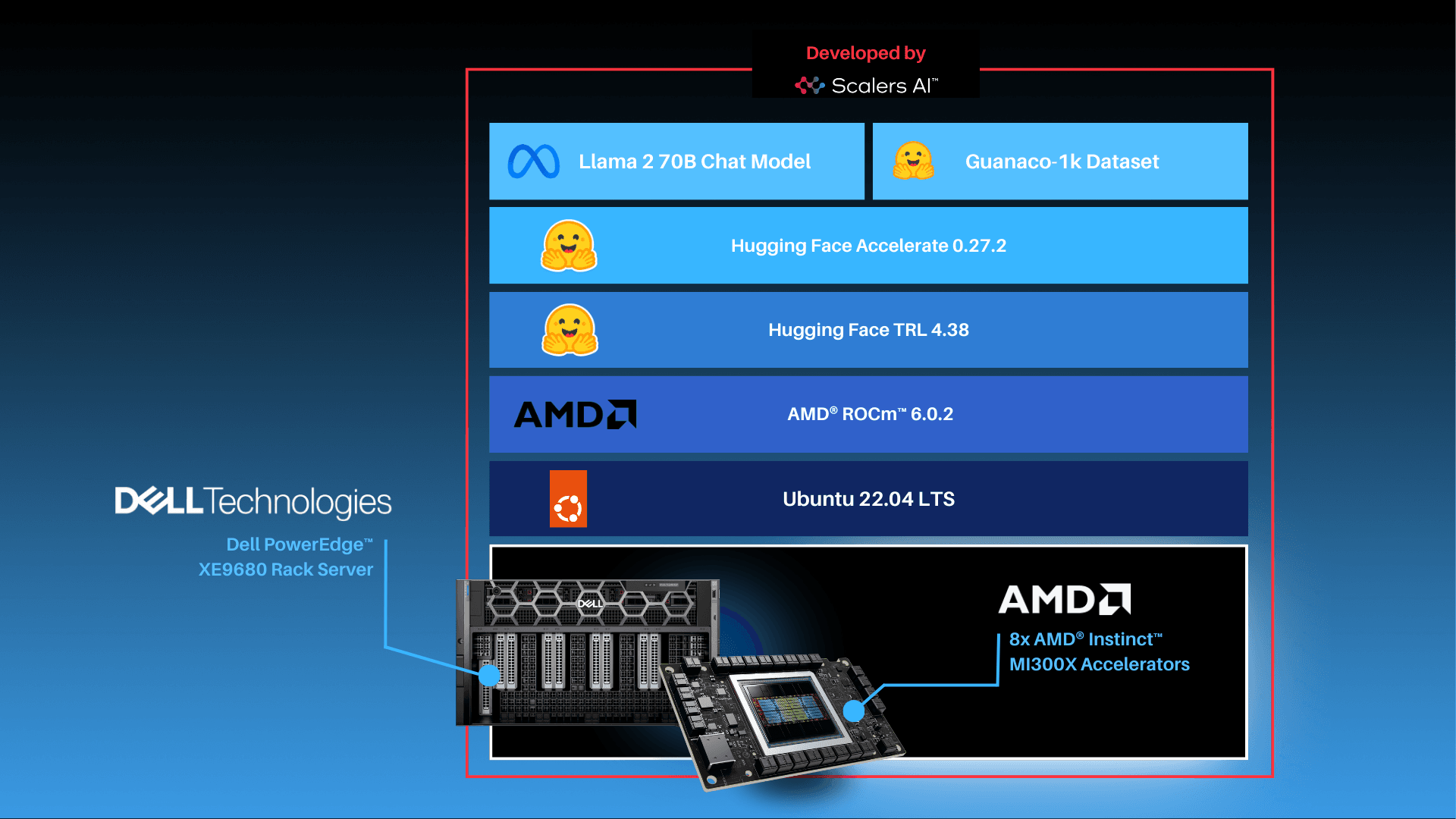
As shown above, the fine-tuning software stack begins with the AMD ROCm PyTorch image serving as the base, offering a tailored PyTorch library for optimal fine-tuning. Leveraging the Hugging Face Transformers library alongside Hugging Face Accelerate, facilitates multi-GPU fine-tuning capabilities. The Llama 2 70B Chat model will be fine-tuned with FP16 precision, utilizing the Guanaco-1k dataset from Hugging Face on eight AMD Instinct MI300X Accelerators.
In this scenario, we will perform full parameter fine-tuning of the Llama 2 70B Chat Model. While you can also implement fine-tuning using optimized techniques such as Low-Rank Adaptation of Large Language Models (LoRA) on accelerators with smaller memory footprints, performance tradeoffs exist on specific complex objectives. These nuances are addressed by full parameter fine-tuning methods, which generally require accelerators that support significant memory requirements.
| Fine-tuning Llama 2 70B Chat on 8x AMD Instinct MI300X Accelerators.
Fine-tune the Llama 2 70B Chat Model with FP16 precision for question and answer tasks by utilizing the mlabonne/guanaco-llama2-1k dataset on the 8X AMD Instinct MI300X Accelerators.
| Summary
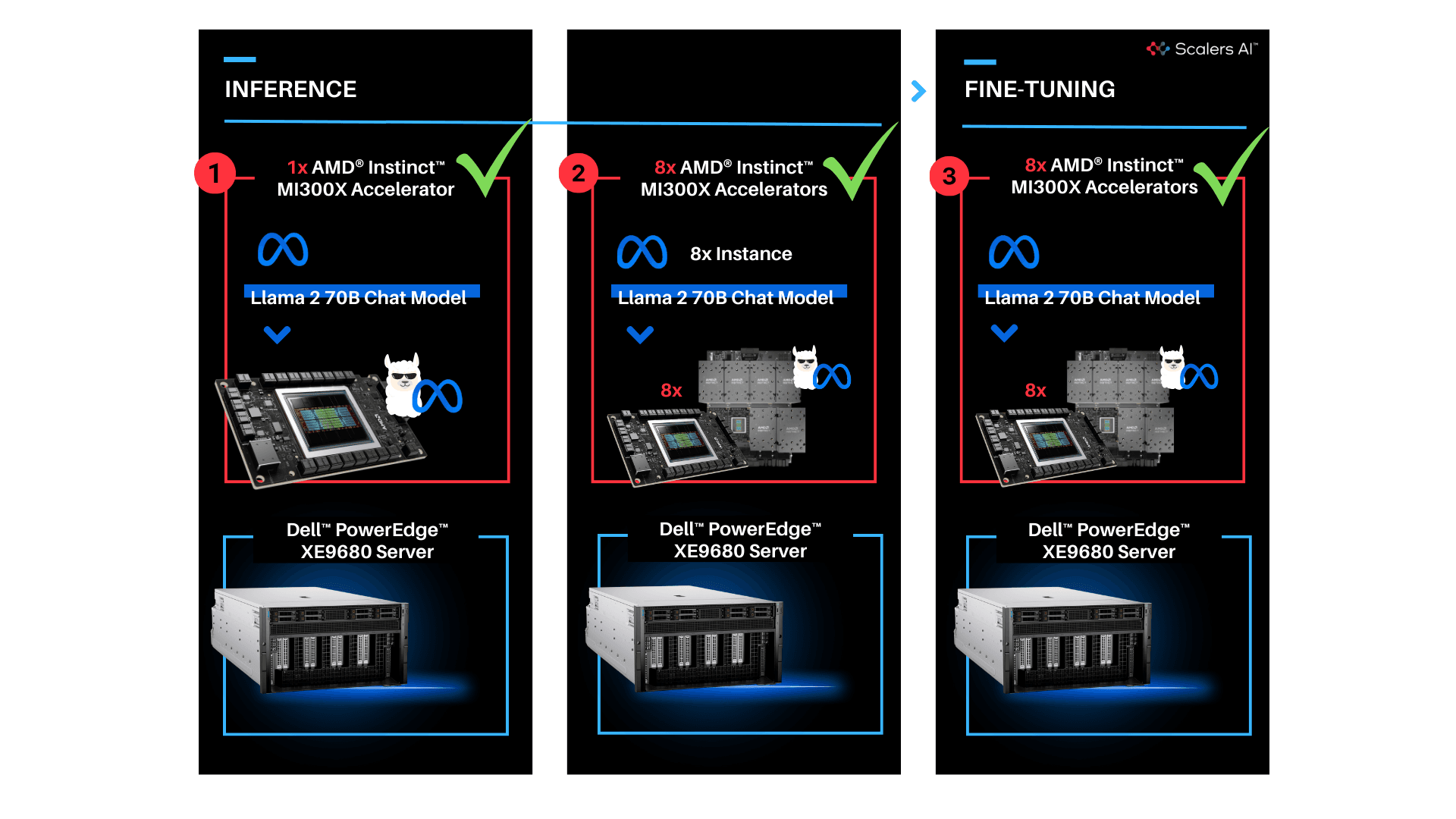
Dell PowerEdge XE9680 Server equipped with AMD Instinct MI300X Accelerators offers enterprises industry leading infrastructure to create custom AI solutions using their proprietary data. In this blog, we showcased how enterprises deploying applied AI can take advantage of this solution in three critical use cases:
- Deploying the entire 70B parameter model on a single AMD Instinct MI300X Accelerator in Dell PowerEdge XE9680 Server
- Deploying eight concurrent instances of the model, each running on one of eight AMD Instinct MI300X accelerators on the Dell PowerEdge XE9680 Server
- Fine-tuning the 70B parameter model with FP16 precision on one PowerEdge XE9680 with all eight AMD Instinct MI300X accelerators
Scalers AI is excited to see continued advancements from Dell, AMD, and Hugging Face on hardware and software optimizations in the future.
| Additional Criteria for IT Decision Makers
| What is fine-tuning, and why is it critical for enterprises?
Fine-tuning enables enterprises to develop custom models with their proprietary data by leveraging the knowledge already encoded in pre-trained models. As a result, fine-tuning requires less labeled data and time for training compared to training a model from scratch, making it a more efficient approach for achieving competitive performance, particularly in the quantity of computational resources used and training time.
| Why is memory footprint critical for LLMs?
Large language models often have enormous numbers of parameters, leading to significant memory requirements. When working with LLMs, it is essential to ensure that the GPU has sufficient memory to store these parameters so that the model can run efficiently. In addition to model parameters, large language models require substantial memory to store input data, intermediate activations, and gradients during training or inference, and insufficient memory can lead to data loss or performance degradation.
| Why is the Dell PowerEdge XE9680 Server with AMD Instinct MI300X Accelerators well-suited for LLMs?
Designed especially for AI tasks, Dell PowerEdge XE9680 Server is a robust data-processing server equipped with eight AMD Instinct MI300X accelerators, making it well-suited for AI-workloads, especially for those involving training, fine-tuning, and conducting inference with LLMs. AMD Instinct MI300X Accelerator is a high-performance AI accelerator intended to operate in groups of eight within AMD's generative AI platform.
Running inference, specifically with a Large Language Model (LLM), requires approximately 1.2 times the memory occupied by the model on a GPU. In FP16 precision, the model memory requirement can be estimated as 2 bytes per parameter multiplied by the number of model parameters. For example, the Llama 2 70B model with FP16 precision requires a minimum of 168 GB of GPU memory to run inference.
With 192 GB of GPU memory, a single AMD Instinct MI300X Accelerator can host an entire Llama 2 70B parameter model for inference. It is optimized for LLMs and can deliver up to 10.4 Petaflops of performance (BF16/FP16) with 1.5TB of total HBM3 memory for a group of eight accelerators.
Copyright © 2024 Scalers AI, Inc. All Rights Reserved. This project was commissioned by Dell Technologies. Dell and other trademarks are trademarks of Dell Inc. or its subsidiaries. AMD, Instinct, ROCm, and combinations thereof are trademarks of Advanced Micro Devices, Inc. All other product names are the trademarks of their respective owners.
DISCLAIMER - Performance varies by hardware and software configurations, including testing conditions, system settings, application complexity, the quantity of data, batch sizes, software versions, libraries used, and other factors. The results of performance testing provided are intended for informational purposes only and should not be considered as a guarantee of actual performance.